Hello and welcome to #root.bg!
Here you can find tutorials about linux, networks and their firewall, games and fun, as well as hobbies – rollers, drones and many more.
Блогът на Николай Николов
Here you can find tutorials about linux, networks and their firewall, games and fun, as well as hobbies – rollers, drones and many more.
Hello, Last month with my colleague Andrey start Meteo station for Dobrich town (I will wrote about this next time) – and after this project, we decide to put cameras for timelapse video. Everything needed for timelapse video which I use is :
Here’s how things look like:
*/1 * * * * root curl -s "http://111.112.111.33:8889/webcapture.jpg?command=snap&channel=1" > "/var/www/cdn.root.bg/weather-pics/$(date +\%Y\%m\%d\%H\%M\%S).jpg"
30 5 * * * root /root/scripts/timelapse.sh &> /dev/null
it’s important to mention that the script that makes the video is starting every morning at 5:30 to catch the sunrise!
#!/bin/bash
rm -f /var/www/cdn.root.bg/timelapse.mp4
rm -f /var/www/cdn.root.bg/weather-pics/out.mp4
cd /var/www/cdn.root.bg/weather-pics/ ; cat *.jpg | ffmpeg -f image2pipe -r 1 -vcodec mjpeg -i - -vcodec libx264 out.mp4 ; ffmpeg -i out.mp4 -vf "setpts=(PTS-STARTPTS)/10" -r 10 ../timelapse.mp4
rm -f /var/www/cdn.root.bg/weather-pics/*.jpg ; rm -f /var/www/cdn.root.bg/weather-pics/*.jpg.webp
To have no cache from the nginx web server, I’ve added a special rule to serve each time to a new one from the cdn timelapse.mp4
location = /timelapse.mp4 {
        # kill cache
        add_header Last-Modified $date_gmt;
        add_header Cache-Control 'no-store, no-cache, must-revalidate, proxy-revalidate, max-age=0';
        if_modified_since off;
        expires off;
        etag off;
        add_header "Access-Control-Allow-Origin" "*";
        add_header P3P "Can I help you? Contact me via https://root.bg/contacts/, CP=CAO ADMa DEVa IND PHY ONL UNI COM LOC";
}
PS. The version of ffmpeg I use is: 3.4.6 – I had tried before with a new snap installed but did not work as I wanted.
And the result is :
That’s it!
Hello,
I didn`t write soon (sorry for that).
I use MacOS and often I have to go to old Dell PowerEdge servers that use iDRAC 6, but I got into trouble – Connection Failed.
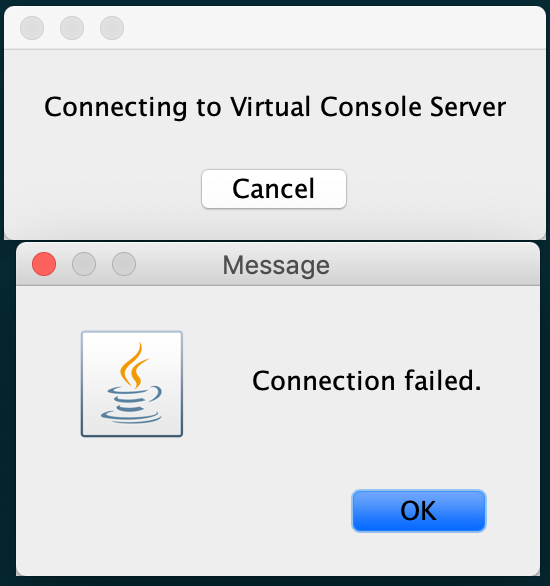
It turns out that the problem comes from a setting in Java security (SSLv3 has stopped by default – that is, it serves to connect to iDRAC 6).
To enable SSLv3, we need to open the java.security file with the text editor:
sudo vim "/Library/Internet Plug-Ins/JavaAppletPlugin.plugin/Contents/Home/lib/security/java.security"
and to commend or delete the following two lines:
jdk.tls.disabledAlgorithms=SSLv3, RC4, DES, MD5withRSA, DH keySize < 1024, \
EC keySize < 224, 3DES_EDE_CBC, anon, NULL
And we can successfully run the iDRAC 6 console and get it done;))
That’s it!
Hello,
Today on one of my server I saw that the disk space in /var is low, and the reason for that was in /var/log/journal.

In this post I will share how to delete systemd journal logs right, and how to make our server to do this alone.
root@mp-web06:/var/log# du -sh * |grep G
4.1G journal
root@mp-web06:/var/log# journalctl --vacuum-time=5d
Deleted archived journal /var/log/journal/a20c526fbd1ffe2fe0fc6d5056053509/user-1003@55bfa9c91d5944b3a7a133fcec536fb8-000000000042a6ee-00057dd636182198.journal (8.0M).
.....
Vacuuming done, freed 3.8G of archived journals from /var/log/journal/a20c526fbd1ffe2fe0fc6d5056053509.
The idea here is the server will delete the logs older than 5 days.
Hello,
In this post I will share how to run Winbox for MacOS.
We will need this tools to do it:
wine winbox.exe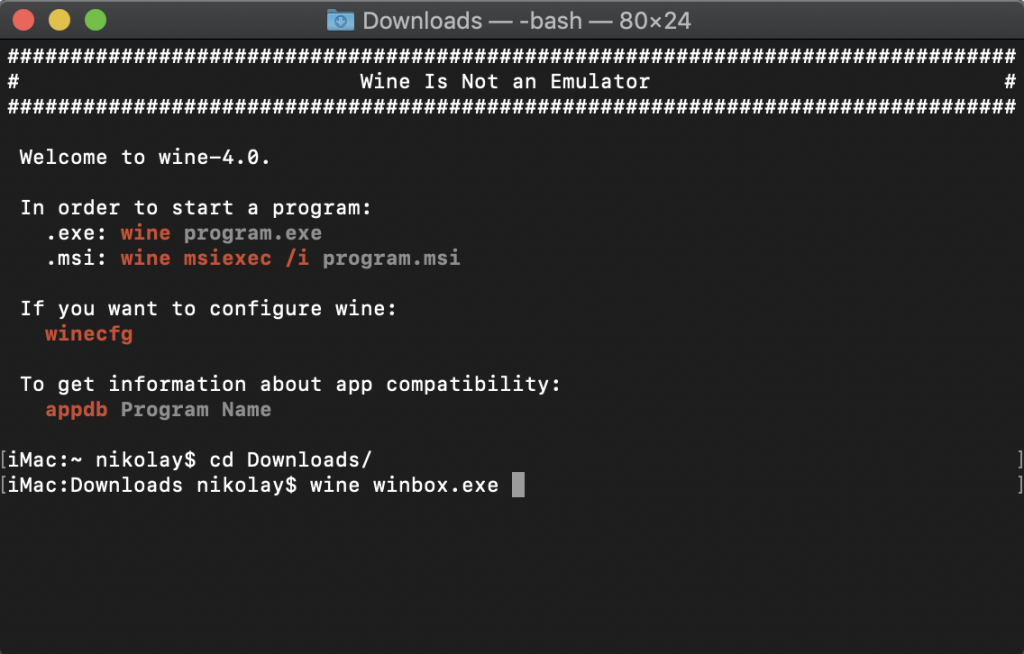
That’s it!
Hello,
I want to say that I’ve been bearded for a few months! I decided to try something new because I barely got my hair – the beard was a good option for me for experiments =)

I was provoked by my friend Ivan Zhelev and I decided to try, and I liked it!
The first few weeks were the most difficult and painful, especially for me – I never had a beard until now! Of course, maintenance is very important – I have taken the necessary things and I take care of it regularly! I didn’t go to Bradao yet, but I will try it soon!
I share photos of myself and Borka with 4 months of difference between them – the little one has grown a lot – my beard too! 🙂


 Hello,
I’m fan of new technologies and I love updates;))
For this reason, root.bg is now working on MySQL 8!
In this post I will share the special features of releasing version 8 and what we need to do our wordpress – especially if its base is large, old and with different types of charset and collation. To emphasize that I migrated from MariaDB 10.2 and for this purpose I picked up a new MySQL server – I did not do mysql_upgrade, and dump and restore the base!
More details about the new features in MySQL 8 can be found on their official site.
What is important for wordpress is precisely this :
latin1 to utf8mb4. The utf8mb4 character set has several new collations, including utf8mb4_ja_0900_as_cs, the first Japanese language-specific collation available for Unicode in MySQL. For more information, see Section 10.10.1, “Unicode Character Sets”.This is the problem I encountered after I poured the root.bg base of the new mysql server. Here are all the publications written in Cyrillic:
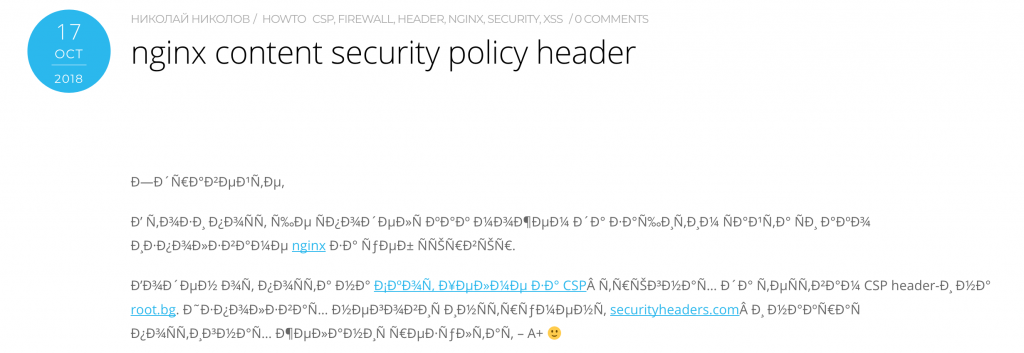
The reason for this is the encoding in MySQL.
This problem can be solved in two ways – by setting it on the server itself or in our wordpress configuration file.
Here are two ways:
character-set-server=latin1
We can test this from mysql console:
SHOW VARIABLES LIKE 'character\_set\_%';
and we should see this result :
+--------------------------+---------+
| Variable_name | Value |
+--------------------------+---------+
| character_set_client | utf8mb4 |
| character_set_connection | utf8mb4 |
| character_set_database | latin1 |
| character_set_filesystem | binary |
| character_set_results | utf8mb4 |
| character_set_server | latin1 |
| character_set_system | utf8 |
+--------------------------+---------+
7 rows in set (0.00 sec)
In the wordpress configuration file – wp-config.php, we add the following line:
define('DB_CHARSET', 'latin1');And now we have a working wordpress on MySQL 8!
P.S.
root.bg lives on :
ubuntu 18.04.1
nginx 1.14.0
php 7.2.11
mysql 8.0.13
memcached 1.5.6
Thats it!